Strong firewall
Business firewall features built into the router, so you can control what comes in and what goes out.
 Overview
DrayTek is a familiar name in UK business, known for solid routers, strong VPNs and good firewall features. As a DrayTek approved partner, we install, manage and support DrayTek networks across the Midlands.
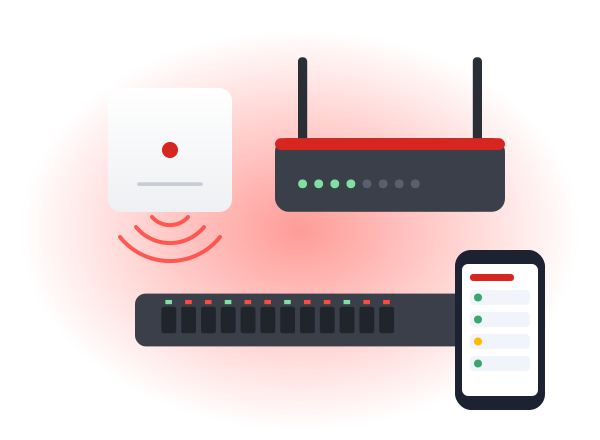
We supply, install and set up the full range, so everything works together as one system.
DrayTek's strengths are in the router, which makes it a good fit where the connection and security matter most.
Business firewall features built into the router, so you can control what comes in and what goes out.
Secure connections for home workers and between sites, which is one of the things DrayTek does best.
Many DrayTek routers can use more than one connection, so if your main line drops, a backup takes over.
DrayTek's own access points can be managed from the router, giving you one system for WiFi and connection.
Several DrayTek sites can be managed centrally, which suits businesses with branches linked by VPN.
DrayTek is widely used by UK businesses, with a long track record and a range built around them.
We work with all three, and each has its place. This is how they usually compare for the businesses we work with.
Not sure which suits you? We'll recommend one after the survey, and explain why.
| DrayTek | UniFi | Omada | |
|---|---|---|---|
| Best for | Routing, VPNs and firewall | Offices and multi-site | Smaller sites on a budget |
| Management | Router-led, with central tools | One app for everything | Omada controller or cloud |
| Multiple sites | Good, especially with VPNs | Very good | Good |
| Cost | Mid-range | Good value | Most cost-effective |
DrayTek suits businesses where the connection and security are as important as the WiFi.
Staff connecting securely from home, with VPNs that are reliable and straightforward to use.
Branches and offices joined together securely, so shared systems work at every location.
Businesses that can't afford to go offline, with a backup line ready to take over automatically.
One router handling the connection, firewall and WiFi, with VigorAP access points where needed.
The same straightforward process, whichever brand suits you best.
We walk the site and talk to you about how it's used. Free in the Midlands.
Within 2 working days, showing the kit, the work and what's included.
Usually 2 to 4 weeks from go-ahead, done out of hours if you need it.
We test every area, then show you how it all works before we leave.
Office WiFi is part of Telecom Central, so these are our Google reviews as Telecom Central. Same team, same engineers.
Read all our reviews on GoogleWe have taken advantage of the services provided by Telecom Central for 6½ years. The service provided to us has at all times been exemplary. Their engineers are friendly and efficient and we have not encountered any issues throughout our relationship with the company. We would not hesitate to recommend them. Moran & Co. Solicitors
Excellent service, Jamie goes above and beyond to ensure our whole team is connected in the 8 locations. No issues at all in 2 years. Highly recommend!
Cannot fault Telecom Central - from start to finish the transition from analog to internet lines was seamless. Transferring from current provider to Telecom Central also dealt with efficiently and professionally. Jamie (our engineer) was knowledgable, informative and super helpful. Definitely recommend this company. Recently had our annual 'check up' yet again it was a pleasure to deal with this company. A rare trait nowadays. Thanks all.
The things people usually ask us about DrayTek.
Give us a call or drop us an email. You'll speak to someone who knows WiFi, not a call centre.
0333 320 9333hello@officewifi.co.uk
Book a free surveyYes. We're a DrayTek approved partner, and we install, manage and support DrayTek routers, access points and switches for businesses across the Midlands.
Yes, especially where VPNs, firewall features and backup connections matter. For WiFi-heavy offices, UniFi can be the better choice, and we'll tell you honestly.
Many DrayTek routers support more than one connection, such as a second line or mobile data, so if the main line drops the backup takes over automatically.
Yes. DrayTek routers are well known for their VPN features, giving home workers a secure connection back to the office.
Yes, even if someone else installed it. We'll check it over, update it if needed and look after it from there.
Yes. DrayTek's VigorAP access points can be managed from the router. For larger WiFi networks we might suggest UniFi alongside a DrayTek router.
Yes. Secure VPN links between DrayTek routers are one of their strengths, so each site can reach shared systems safely.
Office WiFi is part of Telecom Central, which provides broadband and leased lines, so we can sort the connection and the router together.
Some DrayTek models support mobile data as a main or backup connection. We'll recommend the right model if that's something you need.
Yes. DrayTek VigorSwitch models connect everything on your network and can power access points through the data cable, so there's no need for a plug socket next to each one.