One app for everything
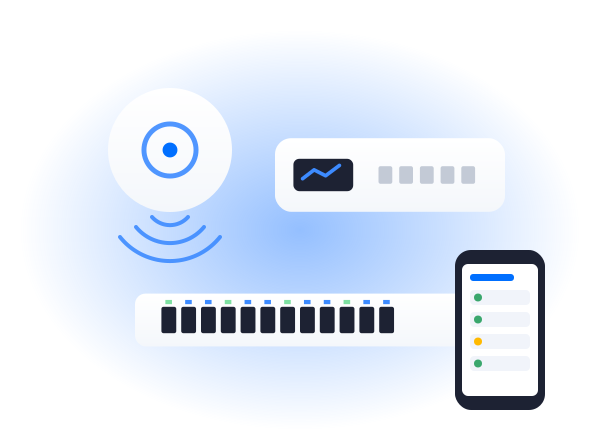
Access points, switches and gateways all run from the one UniFi application, so the whole network is in one place.

 UniFiOverview
UniFi is our usual choice for offices and multi-site businesses. It's reliable, good value and managed centrally, so it can be looked after remotely. As a UniFi partner, we survey, install, manage and support UniFi networks across the Midlands.
We supply, install and set up the full range, so everything works together as one system.
It's not the only option, but for most offices it's the one we'd choose. Here's why.
Access points, switches and gateways all run from the one UniFi application, so the whole network is in one place.
Every site can be managed from a single dashboard, which makes UniFi a natural fit for businesses with branches.
Business-grade performance and central management, without ongoing licence fees for the core network kit.
Up-to-date WiFi standards across the range, so your network is ready for the devices people actually use.
UniFi kit gets regular updates with new features and security fixes, which we apply and keep on top of.
Neat, low-profile access points that sit discreetly on ceilings and walls, rather than looking like home routers.
We work with all three, and each has its place. This is how they usually compare for the businesses we work with.
Not sure which suits you? We'll recommend one after the survey, and explain why.
| UniFi | DrayTek | Omada | |
|---|---|---|---|
| Best for | Offices and multi-site | Routing, VPNs and firewall | Smaller sites on a budget |
| Management | One app for everything | Router-led, with central tools | Omada controller or cloud |
| Multiple sites | Very good | Good, especially with VPNs | Good |
| Cost | Good value | Mid-range | Most cost-effective |
UniFi suits most businesses, but these are where it really shines.
Busy offices with meeting rooms, hot desks and guests all looked after properly.
Every site run from one dashboard, with the same WiFi name everywhere.
Hotels, pubs and venues that need good coverage in every room, plus a guest login page.
Shops and showrooms with tills, stock and customer WiFi on separate networks.
The same straightforward process, whichever brand suits you best.
We walk the site and talk to you about how it's used. Free in the Midlands.
Within 2 working days, showing the kit, the work and what's included.
Usually 2 to 4 weeks from go-ahead, done out of hours if you need it.
We test every area, then show you how it all works before we leave.
Office WiFi is part of Telecom Central, so these are our Google reviews as Telecom Central. Same team, same engineers.
Read all our reviews on GoogleExcellent service, Jamie goes above and beyond to ensure our whole team is connected in the 8 locations. No issues at all in 2 years. Highly recommend!
Great, fast and diligent service from Jamie and the team. No pressure selling and let their actions do the talking. Very happy with the service and set up. Thankyou!
Telecom Central are a great company and we have been working with them for over 5 years now. Jamie and Darren deserve a special mention, as they are great technicians and nothing seems to be too much trouble for them. We really appreciate their willingness to go above and beyond and make things happen for us when we need it. Highly recommended!
The things people usually ask us about UniFi.
Give us a call or drop us an email. You'll speak to someone who knows WiFi, not a call centre.
0333 320 9333hello@officewifi.co.uk
Book a free surveyYes. We survey, install, manage and support UniFi networks across the Midlands, and it's the system we recommend most often for offices.
Yes, for most offices and multi-site businesses. It's reliable, centrally managed and good value. For some sites DrayTek or Omada suits better, and we'll tell you if that's the case.
A UniFi network is run from a console, such as a UniFi Cloud Gateway, along with access points and usually UniFi switches. We'll recommend the right setup for the size of your site.
Not for the core UniFi network software. You buy the kit and it's yours, although some optional extras have their own costs. We'll make that clear in the quote.
Yes, even if someone else installed it. We'll check it over, tell you if anything needs sorting, and then look after it.
Yes. UniFi has guest networks and branded login pages built in, kept completely apart from your business network.
Yes. UniFi is designed to be managed remotely, which is why it suits our Managed WiFi service so well.
Both are good. UniFi is usually our choice for offices and multi-site businesses, while Omada can be the more cost-effective option for smaller sites. The survey helps decide.
Yes. UniFi has outdoor access points for yards, gardens and car parks, managed alongside your indoor WiFi.
No. We focus on UniFi WiFi and networking, so that's where all of our UniFi experience is.