
Home Industries Offices
Office WiFi that keeps up with your team
Video calls, cloud apps, hot desks and visitors all lean on your WiFi. We survey, install and look after office WiFi across the Midlands, designed around how your office is actually used.
- Free survey anywhere in the Midlands
- Our own engineers, with cabling done in-house
- Out-of-hours installs available, so your team isn't disrupted
- ReceptionVisitors online on guest WiFiStrong
- Open plan officeLaptops and phones moving freelyStrong
- Meeting roomVideo calls clear, no dropoutsStrong
- BoardroomRoom full, still smoothStrong
- Kitchen and breakoutCoverage where people actually sitStrong
Common WiFi problems in offices
Most office WiFi problems come down to a handful of causes. These are the ones we see most often, and what we do about them.
-
Calls dropping in meetings
Calls are fine at your desk but freeze in the meeting room, where one access point is trying to serve too many people.
How we fix itWe plan coverage around meeting rooms and busy areas, and set the network up to put call traffic first.
-
Dead spots and slow corners
The back office, the kitchen, the room behind the lift. One router in the comms cupboard rarely reaches everywhere.
How we fix itThe survey shows where the signal drops off, so ceiling access points go exactly where they're needed.
-
Slow when everyone's in
Fine on a Friday, struggling on a Tuesday when the whole team's in, each with a laptop, a phone and often a tablet.
How we fix itWe design for the number of devices, not just people, using business access points built for busy offices.
-
Guests on your network
Sharing the office password puts visitors on the same network as your files, your printers and your phone system.
How we fix itA separate guest network with its own login, kept apart from your business and limited so it can't slow you down.
-
Dropping out between rooms
Laptops and phones cling on to a weak signal instead of switching to a stronger one, so calls drop as people move.
How we fix itWe set up roaming properly, so devices hand over smoothly between access points without dropping calls.
-
A mix of old kit
Routers, extenders and mesh units bought over the years, all set up differently, and nobody sure how it fits together.
How we fix itWe replace it with one centrally managed system that's set up properly, documented and looked after remotely.
Offices we work with
From a five-person office above a shop to a business spread across several sites, the approach is the same: find out how the space is used, then design around it. We work with offices right across the Midlands, including Birmingham, Coventry, Wolverhampton, Leicester, Nottingham, Derby and Stoke-on-Trent.
Small offices
Smaller teams in a room or two. A few access points usually do the job, if they're in the right place.
Larger offices
Open-plan floors, lots of meeting rooms and lots of devices, planned so it holds up when everyone's in.
Co-working spaces
Separate networks for each business, easy guest access for members, and simple to change as tenants move.
Multiple sites
Every site set up the same and managed from one place, with one WiFi name so staff connect automatically.
Reliable video calls, busy meeting rooms and hot desks that just work. Looked after by our own engineers.
What a typical office setup looks like
Every office is different, which is why we always survey first. But to give you an idea, this is what a typical office setup includes.
This is an example only. Your survey tells us what your office actually needs.
Every office installation includes
- A survey and a design for your office
- All the kit, itemised in your quote
- Data cabling by our own engineers
- Setup and testing in every room
- A walkthrough of how it all works
Example: a typical single-floor office
- Ceiling access pointsThe number and position set by the survey, with extra capacity in meeting rooms.
- A network switchPowers the access points through the data cable, so no extra plug sockets are needed.
- Separate networksOne for staff and one for guests, kept completely apart from each other.
- Cloud managementSo we can monitor it, update it and make changes remotely when you need them.
- Little time on siteOnce the kit arrives the work is quick, and we can do it evenings or weekends.
Usually UniFi for offices. See the brands we use
Rather not think about the WiFi at all?
Most offices don't have anyone in-house looking after the network. With Managed WiFi, we monitor it around the clock, keep it updated and fix most problems remotely, often before anyone notices.
- 24/7 monitoring and alerts
- Firmware and security updates
- Remote fixes and changes
- Regular usage reports
- Support response within 4 working hours
How it works
Free survey
We walk the site and talk to you about how it's used. Free in the Midlands.
Clear quote
Within 2 working days, showing the kit, the work and what's included.
Installation
Usually 2 to 4 weeks from go-ahead, done out of hours if you need it.
Ongoing support
Managed WiFi, or support as and when you need it, from the same team.
What our customers say
Office WiFi is part of Telecom Central, so these are our Google reviews as Telecom Central. Same team, same engineers.
Read all our reviews on GoogleWe have taken advantage of the services provided by Telecom Central for 6½ years. The service provided to us has at all times been exemplary. Their engineers are friendly and efficient and we have not encountered any issues throughout our relationship with the company. We would not hesitate to recommend them. Moran & Co. Solicitors
Excellent service, Jamie goes above and beyond to ensure our whole team is connected in the 8 locations. No issues at all in 2 years. Highly recommend!
Telecom Central are a great company and we have been working with them for over 5 years now. Jamie and Darren deserve a special mention, as they are great technicians and nothing seems to be too much trouble for them. We really appreciate their willingness to go above and beyond and make things happen for us when we need it. Highly recommended!
Office WiFi questions
The things people usually ask us before booking an office survey.
Got a question that's not here?
Give us a call or drop us an email. You'll speak to someone who knows WiFi, not a call centre.
0333 320 9333hello@officewifi.co.uk
Book a free surveyHow many access points does an office need?
It depends on the layout, the walls and how many devices you have, more than the floor space. A small open-plan office might only need a few, while a busy floor with lots of meeting rooms will need more. The survey tells us exactly how many and where, so you're not paying for more than you need.
Can you fix our existing WiFi without replacing everything?
Sometimes, yes. If you already have UniFi, DrayTek or Omada kit, it may just need setting up properly or an extra access point in the right place. If it makes more sense to replace it, we'll tell you why. Either way you'll get an honest answer after the survey.
Can visitors have their own WiFi?
Yes. We set up a separate guest network with its own login, kept completely apart from your business network. We can limit how much bandwidth guests use and add a simple branded login page if you'd like one.
What's included in an office WiFi installation?
The survey, a design for your office, the kit, any data cabling (done by our own engineers), mounting and setting up the access points, testing every area, and showing you how it all works. You'll know exactly what's included before you go ahead.
Will it cope with Teams calls and hybrid working?
That's what we design it for. We plan coverage around meeting rooms and busy areas, set the network up to put call traffic first, and make sure laptops hand over smoothly between access points as people move around.
Do you offer ongoing support?
Yes. With Managed WiFi we monitor your network 24/7, keep it updated and fix most problems remotely, often before you notice. If you'd rather not have a contract, we also offer support as and when you need it, with a response within 4 working hours.
How long does an office installation take?
Usually 2 to 4 weeks from go-ahead, mostly waiting for the kit to arrive. The work on site itself is usually quick, and we'll give you a timescale in your quote.
Do we need to close the office while you install?
No. Most of the work can be done around you, and we can work evenings or weekends if you'd rather nobody was disturbed. Out-of-hours work is charged extra, and we'll show that in the quote.
Will we need new data cabling?
Usually each access point needs a data cable back to the network switch. We check what you've already got on the survey, reuse it where we can, and our own engineers do any new cabling.
Which brand do you use for offices?
Usually UniFi, because it's reliable, centrally managed and good value. For some offices DrayTek or Omada suits better, and we'll explain why if that's the case.
Other industries we work with
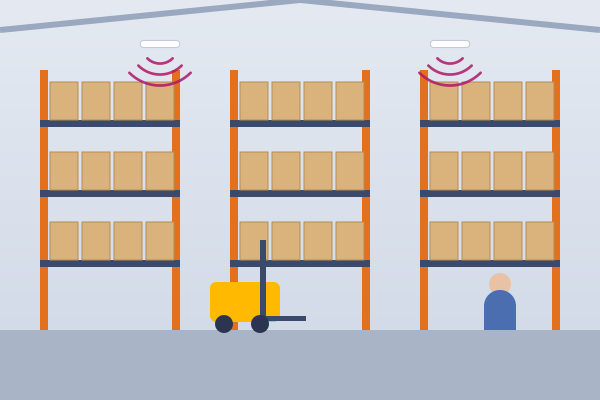
Warehouses
Coverage around racking and high ceilings, with scanners that stay connected.

Retail
Separate networks for tills, card machines and customer WiFi.
Hospitality & Hotels
Good WiFi in every room, plus a guest login that looks like yours.

Schools & Education
Whole classes online at once, with filtering built in.
Care Homes
Coverage in every room for care apps, staff and residents.
Healthcare & Clinics
A secure staff network and separate WiFi for patients.