Survey and design
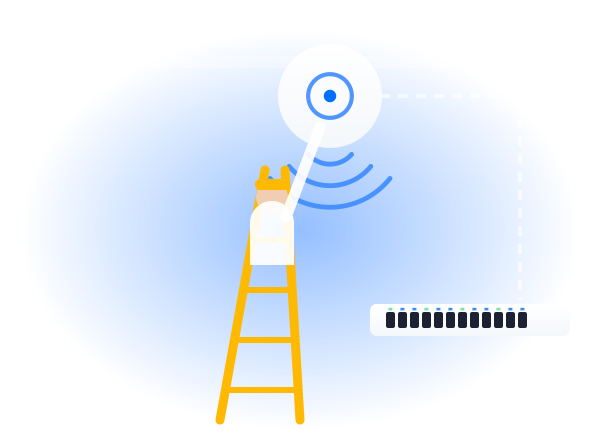
We survey your site and design the UniFi network around it, so access points go exactly where they're needed.

Home Brands UniFi UniFi Installation
 UniFiInstallation
UniFi kit is easy to buy, but getting the most from it means planning it properly. We survey your site, design the UniFi network around it, then our own engineers install, set up and test everything.
From the first visit to handover, you'll know what's happening at every stage. You'll always know which stage your installation is at, and what happens next.
Everything from the survey to handing over a fully working UniFi network.
We survey your site and design the UniFi network around it, so access points go exactly where they're needed.
Your UniFi console or Cloud Gateway set up properly, with secure access and remote management switched on.
UniFi access points mounted neatly on ceilings or walls and powered through the data cable, with no extra sockets.
UniFi switches and any new data cabling installed by our own engineers, with everything labelled clearly.
Staff, guest and device networks set up and kept apart, with roaming and security settings done properly.
Coverage tested across the whole site, then we show you the UniFi app and how everything works.
Every site is different, which is why we always survey first. But to give you an idea, this is what a typical UniFi installation includes.
This is an example only. Your survey tells us what your site actually needs.
See the full UniFi range
UniFi is popular with confident DIYers, and it can be set up yourself. The difference shows in the planning, the cabling and the settings.
Already bought the kit? We can survey and install it for you.
| Partner install | Set up yourself | |
|---|---|---|
| Access point placement | Based on a survey | Best guess |
| Cabling | Done by our engineers | A separate job to arrange |
| Settings | Networks, roaming and security set up | Often left on the defaults |
| Testing | Every area checked | Checked where people complain |
| Afterwards | Backed by our team | Down to you |
Whatever the starting point, the approach is the same: survey first, then design.
Moving in or fitting out a new space, with UniFi planned in from the start alongside the cabling.
Swapping a router, extenders or a mix of old kit for one properly designed UniFi network.
Adding access points, switches or new areas to a UniFi network you already have in place.
Several sites installed the same way, so every location can be managed from one dashboard.
Office WiFi is part of Telecom Central, so these are our Google reviews as Telecom Central. Same team, same engineers.
Read all our reviews on GoogleRight from the first contact with Jamie at Telephone Central, we were impressed with the professionalism and knowledge. Jamie was quick to respond to any questions we had however trivial they were. The install went smoothly and was followed up with full training for the team. We are very happy with the service received so far.
Great, fast and diligent service from Jamie and the team. No pressure selling and let their actions do the talking. Very happy with the service and set up. Thankyou!
Telecom Central are a great company and we have been working with them for over 5 years now. Jamie and Darren deserve a special mention, as they are great technicians and nothing seems to be too much trouble for them. We really appreciate their willingness to go above and beyond and make things happen for us when we need it. Highly recommended!
The things people usually ask before a UniFi installation.
Give us a call or drop us an email. You'll speak to someone who knows WiFi, not a call centre.
0333 320 9333hello@officewifi.co.uk
Book a free surveyIt depends on the size of your building, how it's built and the kit that suits it, so we quote after the survey. You'll get a clear price within 2 working days, showing exactly what's included.
Usually 2 to 4 weeks from go-ahead, mostly waiting for the kit to arrive. The work on site itself is usually quick, and we'll give you a timescale in your quote.
Yes. We'll survey your site to check the kit suits it, then install and set it up properly. If anything's missing or not quite right, we'll tell you before we start.
Yes. We set up your console and remote access, and show you around the UniFi app before we leave, so you can see what's going on.
Yes. We'll check what you have, then add access points, switches or new areas so it all works together as one network.
No. Most of the work can be done around you, and we can work evenings or weekends if you'd rather nobody was disturbed. Out-of-hours work is charged extra, and we'll show that in the quote.
No. They're powered through the data cable from a PoE switch, so there's no need for a plug socket near each one.
It depends on the size of your site and what you'd like it to do. We'll recommend the right Cloud Gateway or console after the survey.
Yes. UniFi has outdoor access points for yards, gardens and car parks, managed alongside your indoor WiFi.
In most cases, yes. We check your connection on the survey, and Telecom Central can provide broadband or a leased line if it's holding you back.
Yes. You can choose managed UniFi, where we look after it for you, or call us as and when you need help, with a response within 4 working hours.